

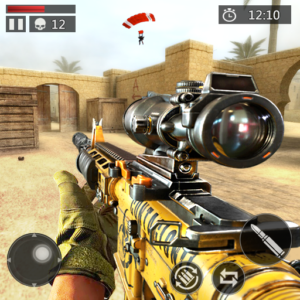
FPS Strike Ops: Modern Arena brings modern weapons and fast-paced first-person combat to Android. Loot&Learn’s prepared save includes Unlimited Coins, Keys, Tickets, Fragments, Grenades, Meds, other resources, and unlocked weapons. The download contains a save-data ZIP for supported restoration with the original game, not a modified APK.
Modern Weapons and Arena Combat
FPS Strike Ops: Modern Arena is listed on Google Play by FPS Shooter & Action Game. Its gameplay centers on first-person shooting across combat maps, with Death Match and Team Death Match among the modes described in the official listing. The modern military setting includes weapons such as submachine guns, assault rifles, and sniper rifles.
The original game also features weapon and skin customization. Its selection includes firearms suited to different approaches, from closer-range engagements to scoped shooting. These are features of the original game; the prepared save’s specific benefits are the resources and weapon unlocks listed below.
Resources Included in This Save
This save combines stored currencies, progression resources, and consumable supplies. The included resource features are:
- Unlimited Coins
- Unlimited Keys
- Unlimited Tickets
- Unlimited Fragments
- Unlimited Grenades
- Unlimited Meds
- Unlimited other resources
On Loot&Learn, Unlimited describes a very large saved balance, not necessarily an infinite or automatically replenishing supply. Resources may decrease when spent or used. Each named resource remains a separate part of the supplied save, rather than being grouped under a single interchangeable currency.
Coins, Keys, Tickets, and Fragments are included alongside Grenades and Meds, so the save covers more than one resource type. Additional resources are also included as supplied, but this listing does not assign names or quantities to those unspecified items. The feature list describes the saved resources without claiming that every purchase, upgrade, or progression requirement is bypassed.
Unlocked Weapons
The restored progress includes unlocked weapons. This provides weapon access already present in the prepared save, alongside the stored resources. It does not mean every weapon is unlocked, every firearm is fully upgraded, or every cosmetic skin is available.
Weapon unlocks and resource balances are separate features. Neither should be interpreted as a claim that all missions are completed or that the entire progression system has been finished. The save is described according to its supplied contents rather than additional assumptions about completion.
Use the Original Game with Separate Local Progress
Loot&Learn’s supported workflow restores prepared data into a compatible isolated or cloned environment using the original, unmodified game. Within that setup, restored local progress stays separate from the original installation’s protected local save files. Your original installation retains its own local progress.
CloneX combines app cloning and virtual-space functionality with built-in save-data restoration. SaveForge provides backup and restoration for supported virtual-space applications and is not an app cloner. The dedicated restoration guide identifies the supported setup for the download; mentioning both tools here does not establish that they are interchangeable for this save.
Your original Google Play installation can continue receiving official updates independently. A cloned instance may need separate updating or re-cloning. Future game releases can also change save formats or restoration behavior, so an official update does not automatically establish continued compatibility with the prepared data.
Open the Download and Restoration Guide
Use the existing Download button to visit the dedicated download page. Review its compatibility information and follow the supported restoration guide to load the supplied FPS Strike Ops: Modern Arena save.