
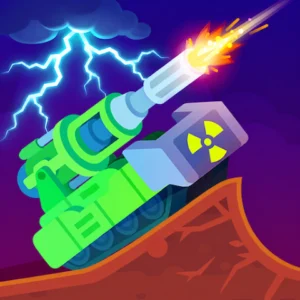
Tank Stars is a 2D artillery combat game listed on Google Play by CASUAL AZUR GAMES. Battles revolve around positioning your tank, selecting a weapon, and finding a shooting angle that lands a decisive hit. Loot&Learn’s prepared save includes Unlimited Coins, Gems, Gear, and Skill Points, Level 81, and the No Ads Pack unlocked. The download is a save-data ZIP, not a modified APK.
Position Your Tank and Line Up the Shot
The original game uses turn-based battles in which you try to destroy an opposing tank before it destroys yours. Each turn allows limited movement based on your tank’s fuel, making position and firing angle important parts of the encounter.
Its arsenal includes rockets and weapons such as freezing bombs, railguns, and plasma cannons. Different weapons offer different ways to attack, while varied battlefield layouts change the conditions for aiming and movement.
Tank collection and weapon upgrades provide progression between battles. The game includes machines inspired by historical tanks alongside more imaginative designs, such as the Toxic Tank and Atomic Launcher. These are systems and vehicles available within the original game; they do not define which tanks this prepared save has unlocked.
Included Resources and Level 81 Progress
This save contains the following features supplied by Loot&Learn:
- Unlimited Coins: A very large saved Coins balance.
- Unlimited Gems: A very large saved Gems balance.
- Unlimited Gear: A very large saved Gear balance.
- Unlimited Skill Points: A very large saved Skill Points balance.
- No Ads Pack Unlocked: The No Ads Pack included as an unlocked feature.
- Level 81: Saved player progression at Level 81.
On Loot&Learn, Unlimited describes a very large saved balance or quantity. It does not necessarily mean an infinite or automatically replenishing resource, and balances can decrease when used.
The supplied shop screenshot shows Coins, Gems, and Gear counters, while the Skills screenshot shows the Level 81 badge and a separate Skill Points counter. These resources remain distinct parts of the save rather than interchangeable currencies.
Skill Points are supplied as a resource balance. This does not mean every passive skill has already been revealed or selected: the attached Skills screen displays unrevealed cards. Likewise, Level 81 is the supplied level, without a claim that it is the game’s maximum.
Restore With the Original Tank Stars Game
Loot&Learn’s workflow uses the original, unmodified game within a compatible isolated or cloned environment. In a supported isolated setup, restored local progress stays in that environment instead of directly replacing the original installation’s protected local files. The original installation retains its separate local progress.
CloneX is an app cloner and virtual space with built-in save-data restoration. SaveForge is a virtual backup and restoration solution for supported virtual-space applications; it is not an app cloner. The dedicated download page provides the relevant compatibility information and restoration guide for this save.
The original installation can receive official Google Play updates independently. A cloned instance may require separate updating or re-cloning. Updates can also change save formats or restoration behavior, so continued compatibility depends on the game version and supported environment.
Download and Restoration Guidance
Use the existing Download button to open the dedicated download page. Review its compatibility details and follow the appropriate restoration guide before importing the prepared ZIP into your supported setup.