Zombie Squad combines armed vehicles, obstacle dodging, and zombie combat in a driving game published by Play365. Loot&Learn’s prepared save includes Unlimited Money, Meds, and Energy, alongside the No Ads Pack and unlocked Vehicles. The download contains a prepared save-data ZIP, not a modified APK, for restoration using the original game in a supported isolated environment.
Drive Through the Zombie Apocalypse
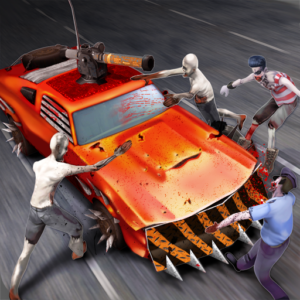
The original game puts you behind the wheel on roads filled with zombies, other cars, and obstacles. Your objective is to drive as far as possible while firing at enemies and avoiding hazards. Driving and shooting share the action: you need to keep your vehicle moving through the road ahead while dealing with zombies in your path.
Vehicle customization is another part of Zombie Squad. The game lets you choose and upgrade your car, change its weapon or armor, and purchase additional car models from the store. Collecting currency during runs supports that progression, connecting the road action with improvements to your ride.
Money, Meds, and Energy Included
The prepared save supplies three resource features:
- Unlimited Money: A large saved currency balance for spending through the game’s available purchase and upgrade options.
- Unlimited Meds: A large saved supply of the medical-kit resource represented by the red-cross kit icon in the supplied screenshot.
- Unlimited Energy: A large saved supply of the resource represented by the blue lightning icon.
On Loot&Learn, Unlimited describes a very large saved balance, rather than a necessarily infinite or automatically replenishing supply. Resource quantities may decrease when spent or used.
The supplied screenshot shows Money, the medical-kit resource, and Energy as separate balances. The medical-kit and lightning items also appear in the Power Ups store. These resources are listed individually because having one does not mean it replaces the others or removes every purchase requirement.
Unlocked Vehicles and No Ads Pack
Unlocked Vehicles adds vehicle access already present in the prepared progress. This complements a game built around choosing cars and customizing their equipment. The feature describes vehicle unlocks; it does not establish that every vehicle is available, every upgrade is completed, or every weapon and armor option is unlocked.
The supplied contents also include the No Ads Pack. This is listed as a feature of Loot&Learn’s prepared save, without extending it into a claim about every advertising placement or optional rewarded-video feature.
Restore Separate Progress with the Original Game
Loot&Learn’s supported workflow restores prepared data into a compatible isolated or cloned environment using the original, unmodified game. In that setup, restored local progress remains within the isolated environment, while the original installation retains its separate local progress.
CloneX combines app cloning and virtual-space functionality with built-in save-data restoration. SaveForge provides backup and restoration for supported virtual-space applications and is not an app cloner. Use the dedicated download page’s guide to identify the supported setup for this save.
Your original Google Play installation can receive official updates independently. A cloned instance may require separate updating or re-cloning, and game updates can change save formats or restoration behavior. Compatibility with future releases is not established by the current save features.
Open the Download and Restoration Guide
Use the existing Download button to open the dedicated download page. Review its compatibility information and follow the supported restoration guide to load the supplied Zombie Squad resources, No Ads Pack, and vehicle unlocks.