

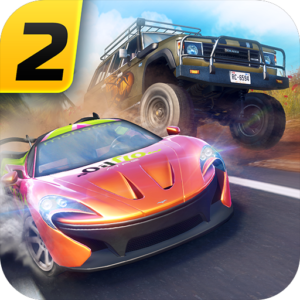
OTR 2 (Off The Road 2) is an open-world off-road driving game where players can explore challenging environments, discover vehicles, and take on driving adventures across different terrains.
With the OTR 2 Unlimited Money Save Data available on Loot&Learn, players can enjoy huge amounts of Coins, Platinum, Blueprint Dust, and materials, along with unlocked vehicles and prepared game progress.
The save data is designed for restoration inside a compatible app cloner or virtual space, allowing players to enjoy the restored progress separately from their original game installation.
OTR 2 Unlimited Money, Platinum & Resources
Building up in-game resources can take time. This prepared OTR 2 save offers large amounts of several valuable resources, making it easier to explore the game’s available content.
Huge Coins (Unlimited Money)
Coins are an important in-game currency in OTR 2. The save contains a huge Coin balance, giving players additional freedom to use supported in-game purchasing and progression features.
The term OTR 2 unlimited money is commonly used by players searching for very large currency balances. In this save, unlimited refers to an extremely large amount rather than a mathematically infinite balance.
Huge Platinum
The prepared save also includes a large Platinum balance, allowing players to explore supported premium currency features without beginning from an empty balance.
Blueprint Dust & Materials
Players also receive large quantities of Blueprint Dust and other in-game materials. These resources can be useful for the game’s supported progression, vehicle-related features, and upgrades.
Unlocked Vehicles & Off-Road Exploration
One of the exciting parts of OTR 2 is discovering and driving different types of vehicles across open environments.
This save includes unlocked vehicle progress, giving players access to more driving possibilities without repeating the same early-game progression.
Explore different terrains, experiment with available vehicles, and enjoy the freedom of OTR 2’s open-world driving experience.
Use OTR 2 Save Data With the Original Google Play Store Version
One of the biggest advantages of Loot&Learn’s OTR 2 save-data restoration method is that you can use the original game from the Google Play Store instead of downloading a modified APK.
The prepared save data is restored into a compatible cloned or virtual instance of the official OTR 2 application. This means the game APK itself does not need to be modified to use the saved progress, huge currency balances, and unlocked vehicles.
Stay Compatible With Official Game Updates
Unlike modified APKs, which may require a new modified installer whenever the game receives an update, the save-data method is designed to work with the official game application.
When a new OTR 2 version becomes available on Google Play, players can update their original game through the Play Store. The cloned installation may also need to be updated or recreated using a supported method, depending on the app cloner or virtual environment.
There is no need to wait for a newly modified APK just to access an official game update. However, restored save-data compatibility should still be checked after major game updates because save formats and game requirements can change.
Benefits of Using the Original Game With Save Data
- Original Google Play game: Use the official OTR 2 application rather than a modified APK.
- Official updates: Receive game updates through Google Play for the original installation.
- No APK modification: Keep the game’s application package unchanged.
- Separate game progress: Restore the prepared save inside a compatible cloned environment without replacing the original game’s local data.
- More resources and unlocks: Enjoy huge Coins, Platinum, Blueprint Dust, materials, and unlocked vehicle progress where supported.
This approach combines the advantages of the official game application with prepared save-data progress, without relying on a separately modified APK.
Enjoy OTR 2 With Separate Saved Progress
Loot&Learn’s restoration method uses a compatible app cloner or virtual Android environment to keep restored game data separate from the original installation.
When OTR 2 is cloned into a supported virtual environment, the prepared save is restored into that cloned game’s data rather than the original game’s protected local storage.
Your original game’s local progress remains separate. You can keep your existing installation while using the prepared save inside the cloned environment.
This separation is particularly useful for players who want to explore advanced game progress without replacing their existing local save.
Online account synchronization is different from local data storage. If the original and cloned games use the same online account, server-managed progress may behave according to the game’s synchronization rules.
OTR 2 Online Multiplayer Compatibility
OTR 2 offers online multiplayer gameplay, allowing players to enjoy driving experiences with other players.
The prepared save is intended for use with the original, unmodified game application inside a compatible virtual environment, rather than requiring a modified APK.
Multiplayer availability and the acceptance of restored resources can depend on the game version, virtual environment, account configuration, and game servers.
For the most accurate experience, check the compatibility information associated with the downloadable save and its tested game version.
Who Is This OTR 2 Save Data For?
This prepared game save may be useful for players who want to:
- Explore OTR 2 with huge amounts of Coins and Platinum.
- Access large quantities of Blueprint Dust and materials.
- Experience unlocked vehicle progress.
- Spend more time exploring off-road environments.
- Try prepared game progress in a separate cloned installation.
- Keep their original game’s local progress separate from the restored save.
Get OTR 2 Unlimited Money Save Data
Ready to explore OTR 2 with huge currency balances, materials, and unlocked vehicle progress?
Use the Download button on this Game page to access the available save-data ZIP and the dedicated restoration guide.
Loot&Learn provides restoration options through CloneX and SaveForge, helping players use prepared game saves inside compatible virtual environments.
Enjoy the off-road driving experience with prepared progress while keeping the original game’s local data separate.